7.5 Validation and verification
Before data is accepted by a computer system, it may need to be checked. Topic 7.5 separates two ideas that sound similar but do different jobs: validation checks whether entered data is reasonable, while verification checks whether data has been copied accurately from one source to another.
Validation and verification are not the same
| Method | What it checks | Typical use |
|---|---|---|
| Validation | Whether entered data is reasonable according to rules set by the program. | Checking a mark is within an allowed range or a required field is not blank. |
| Verification | Whether data has been copied accurately from one source to another. | Entering the same data twice or visually checking entered data against the original source. |
7.5.1 Validation
Validation is an automatic check performed by a program before data is accepted. If a value fails a validation rule, the system should reject it, explain the problem and give the user another opportunity to enter the data.
The textbook identifies six validation methods that you should recognise:
| Validation check | What it checks |
|---|---|
| Range check | A number lies between allowed lower and upper limits. |
| Length check | Data contains an exact, minimum or maximum acceptable number of characters. |
| Type check | The entered value is of the required data type. |
| Presence check | A required item has actually been entered and is not blank. |
| Format check | Characters follow a required pattern. |
| Check digit | A calculated final digit is used to detect common entry or scanning errors in a code. |
More than one validation rule can be applied to the same item. For example, an examination mark can be checked with a range check, a type check and a presence check.
Range check
A range check tests whether a numeric value falls between a lower and upper limit. For a percentage mark, only values from 0 to 100 inclusive should be accepted.
Example: validate a percentage mark
OUTPUT "Please enter the student's mark"
REPEAT
  INPUT StudentMark
  IF StudentMark < 0 OR StudentMark > 100
    THEN
      OUTPUT "Mark must be from 0 to 100. Please re-enter."
  ENDIF
UNTIL StudentMark >= 0 AND StudentMark <= 100
The loop keeps requesting input until the mark is inside the permitted range.
Length check
A length check examines how many characters are present. It can require an exact length or an acceptable range of lengths.
Example: password of exactly eight characters
OUTPUT "Enter an eight-character password"
REPEAT
  INPUT Password
  IF LENGTH(Password) <> 8
    THEN
      OUTPUT "Password must contain exactly eight characters."
  ENDIF
UNTIL LENGTH(Password) = 8
LENGTH() returns the number of characters in a string. The textbook also gives the example of a family name that must contain between 2 and 30 characters inclusive.
Type check
A type check checks whether the value has the required data type. The textbook example asks for the number of brothers, which should be an integer rather than a fractional value.
Example: require a whole number
OUTPUT "How many brothers do you have?"
REPEAT
  INPUT NumberOfBrothers
  IF NumberOfBrothers <> DIV(NumberOfBrothers, 1)
    THEN
      OUTPUT "This must be a whole number. Please re-enter."
  ENDIF
UNTIL NumberOfBrothers = DIV(NumberOfBrothers, 1)
Presence check
A presence check makes sure a required field is not left blank. An online transaction, for example, may require an email address before it can continue.
Example: required email address
OUTPUT "Please enter your email address"
REPEAT
  INPUT EmailAddress
  IF EmailAddress = ""
    THEN
      OUTPUT "*=Required"
  ENDIF
UNTIL EmailAddress <> ""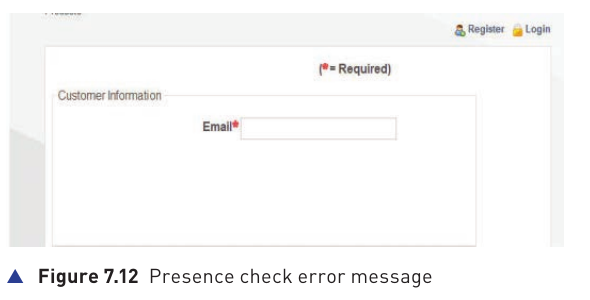
Format check
A format check checks that characters match a pre-defined pattern. A code might, for example, require three letters followed by three digits. The check is concerned with the pattern used, not simply the number of characters.
Check digit
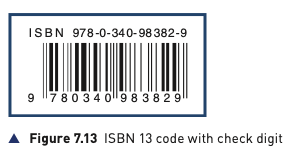
A check digit is an additional digit calculated from the other digits in a code. It is widely used in barcodes, product codes, ISBNs and Vehicle Identification Numbers (VINs).
Its purpose is to identify common errors caused by typing or scanning. The source states that a check digit can usually detect:
- an incorrect digit being entered
- a transposition, where two digits change order
- a digit being omitted or an extra digit being inserted
- some phonetic errors, such as confusing thirteen with thirty when data is spoken
7.5.2 Verification
Verification checks that data has been copied accurately from one source to another. This can apply when data is entered into a computer or when it is transferred from one part of a computer system to another.
For input data, the textbook identifies two verification methods:
| Method | How it works |
|---|---|
| Double entry | The data is entered twice, sometimes by different operators. The computer compares the two entries. If they differ, an error message is produced and the data must be entered again. |
| Screen/visual check | The entered data is displayed and the user manually checks it against the original source or against what they know to be correct before confirming it. |
Double entry
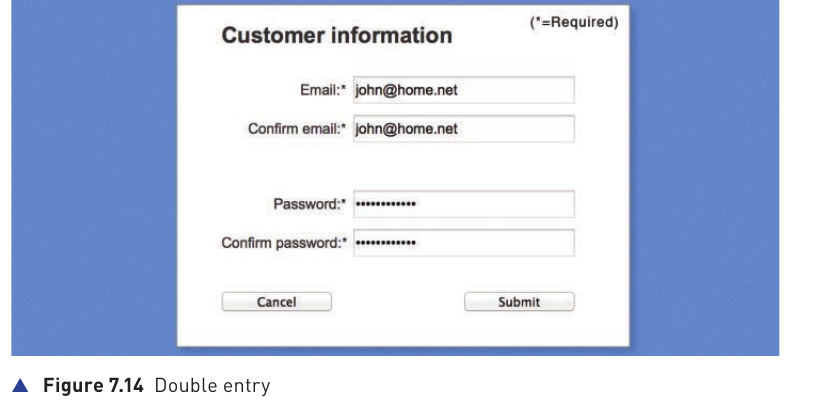
Double entry is useful because the computer can automatically compare both versions. If the two copies do not match, it knows that at least one entry differs and can request re-entry.
Screen/visual check
A screen or visual check is completed by the person entering the data. After entry, the system displays the data so the user can compare it with a paper form or confirm it using their own knowledge.