4.2 Types of programming language, translators and integrated development environments (IDEs)
Computers execute machine code, but programmers normally write instructions in languages that are much easier for people to understand. This topic explains high-level and low-level languages, assembly language, the translators that convert programs into machine code, and the IDE tools that help programmers write, test and debug software.
What you need to understand
You should be able to compare high-level and low-level languages; explain why assembly language is used; distinguish a compiler, interpreter and assembler; compare the advantages and disadvantages of compilers and interpreters; and explain how common IDE features make program development easier.
High-level languages and low-level languages
A computer program is a sequence of instructions that makes a computer perform a particular task. Programs may be written using different programming languages, but the processor ultimately executes machine code. This means that programs written in other languages must be translated before the computer can use them.
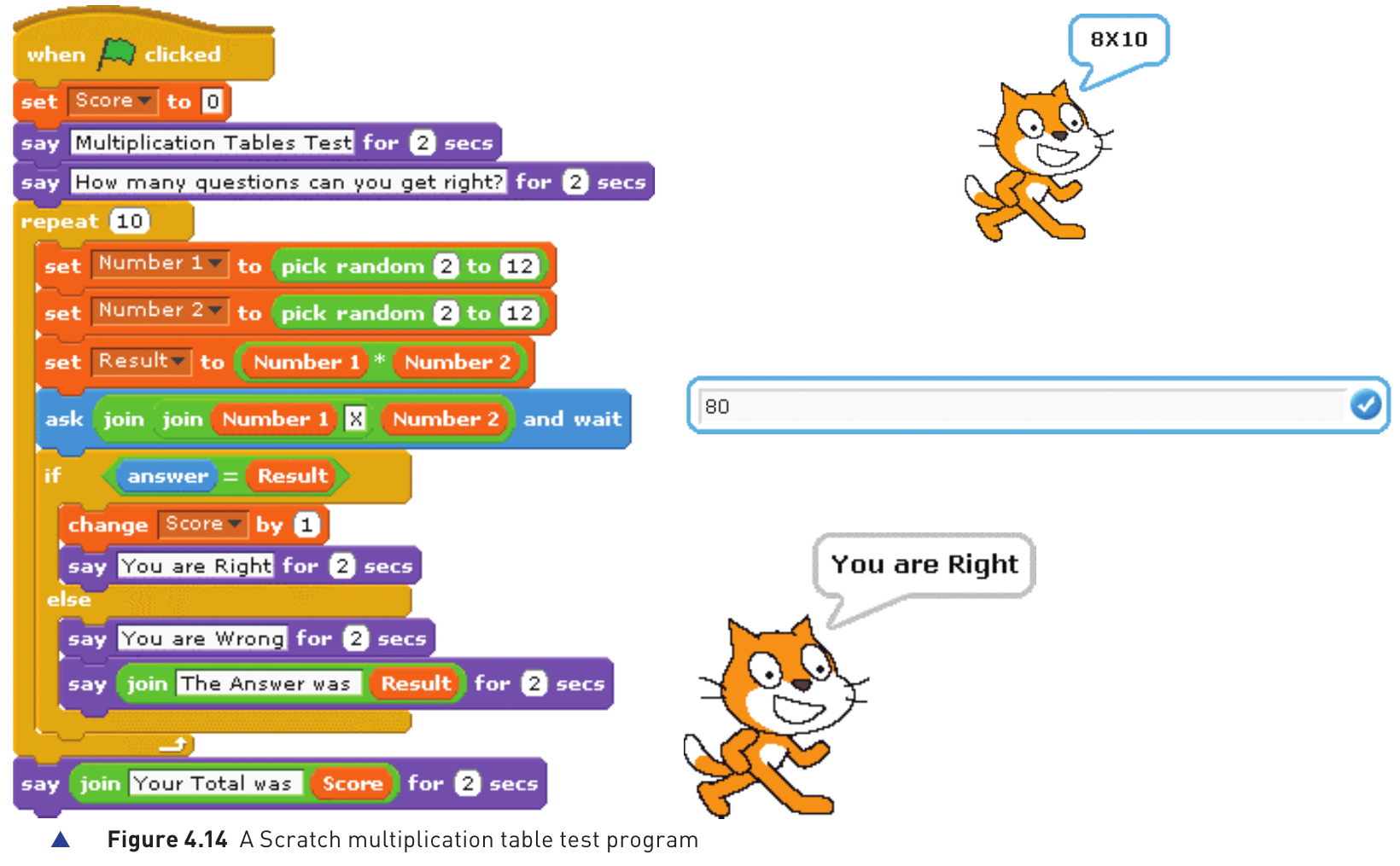
High-level languages
A high-level language (HLL) is designed around the needs of programmers rather than the details of one particular processor. A programmer can concentrate on the problem being solved without needing to know the exact hardware architecture or instruction set of the computer that will eventually run the program.
Many high-level languages are portable. The same source program can often be used on different computer systems, provided that a suitable translator is available for each system. High-level statements are also closer to human language than machine code, so they are normally easier to read and understand.
The statement above expresses the task of adding two values in a form that is much easier for a programmer to follow than the equivalent machine instructions.
Why high-level languages are easier to develop with
- Programs are easier to read and understand.
- Programs can usually be written in less time.
- Errors are easier to locate and correct during development.
- Programs are easier to maintain after they have been put into use.
Examples
The textbook gives examples such as C++, Delphi, Java, Pascal, Python and Visual Basic. Programming techniques learned in one high-level language can often be transferred to another.
Low-level languages
A low-level language is closely related to the architecture and hardware of a particular computer. Low-level languages include machine code and assembly language. Because they are machine dependent, a program written for one processor family may not work on another without being changed.
Machine code
Machine code is the binary instruction language that the processor can execute directly. It is very difficult for people to read and write, especially in long programs, so programmers rarely create complete programs directly in machine code. Machine code is often displayed in hexadecimal because hexadecimal is more compact than a long sequence of binary digits.
| Typical hexadecimal instruction | Equivalent binary |
|---|---|
| 1 12 | 0001 00010010 |
| 4 13 | 0100 00010011 |
| 0 1A | 0000 00011010 |
High-level compared with low-level
| Language type | Advantages | Disadvantages |
|---|---|---|
| High-level | Usually independent of one computer type; easier to read, write and understand; quicker to develop; easier to debug; easier to maintain. | Programs can be larger; translated programs may execute more slowly; the programmer may not be able to use special hardware features directly. |
| Low-level | Can use special hardware and machine-dependent instructions; can produce compact code; can produce code that performs a task very quickly. | Programs usually take longer to write and debug; the code is harder for people to understand; programs are machine dependent. |
Assembly languages
Assembly language is a low-level programming language that uses short mnemonic instructions instead of writing the processor's binary machine code directly. It is still closely connected to a particular processor and its instruction set, but it is more readable for a programmer than raw binary.
Programmers may choose assembly language when they need close control over the hardware, when a special machine-dependent instruction is required, when memory use must be kept very small, or when a particular task must execute very quickly.
Example: adding two values in assembly language
ADD Second
STO Sum
- LDA First - load the value stored in First into the accumulator.
- ADD Second - add the value stored in Second to the value already in the accumulator.
- STO Sum - store the accumulator's result in Sum.
Assembly language cannot normally be executed directly. It must first be translated into machine code by an assembler. Because assembly instructions are designed around the target processor's instruction set, assembly language is machine dependent.
Translators
People write programs in forms that trained programmers can understand, but a processor performs operations in binary machine code. A translator is system software that converts a program into a form that the computer can execute. The three translators in this topic are the compiler, interpreter and assembler.
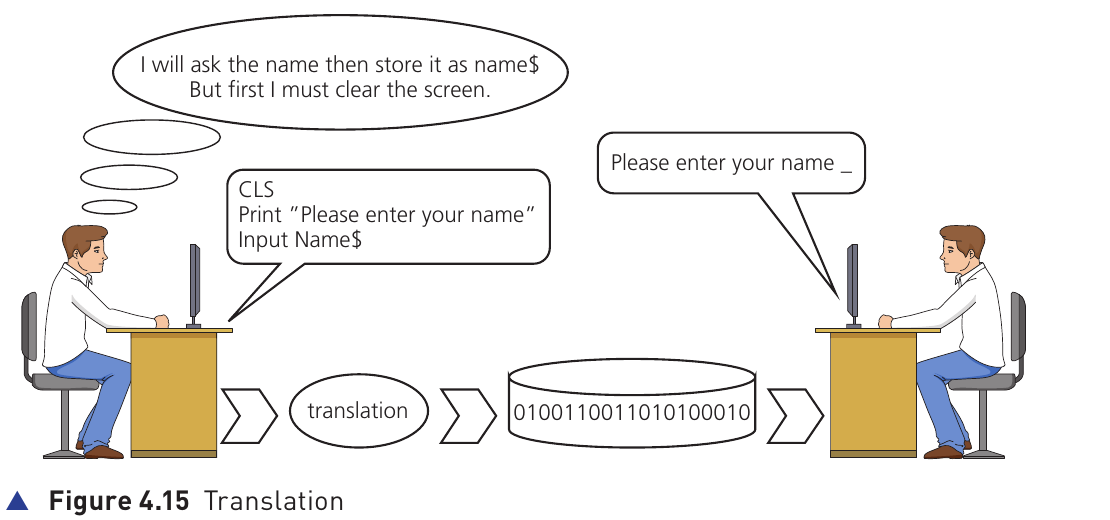
Compiler
A compiler translates an entire program written in a high-level language into machine code in one operation. If the program can be compiled successfully, an executable machine-code file is produced. That executable can then be used repeatedly without compiling the source program each time.
If the compiler finds errors, it produces an error report rather than a usable final executable. One high-level language statement may be translated into several machine-code instructions.
High-level statement translated to machine instructions
0001 00010010
0100 00010011
0000 00011010
The high-level instruction is clear to a programmer; the processor uses the translated machine instructions.
Interpreter
An interpreter reads a high-level language program one statement at a time. It translates a statement, carries out the action, and then moves to the next statement. If an error is encountered, execution stops at that point and an error message may be shown, sometimes with a suggested correction.
An interpreted program must be interpreted again every time it is run. No separate executable machine-code file is produced.
Assembler
An assembler translates a program written in assembly language into machine code. Once assembly source code has been assembled successfully, the produced machine code can be used repeatedly without running the assembler again. An assembly instruction normally corresponds closely to one machine-code instruction.
ADD Second → 0100 00010011
STO Sum → 0000 00011010
Compiler, interpreter and assembler compared
| Compiler | Interpreter | Assembler |
|---|---|---|
| Translates a high-level language program into machine code. | Translates and executes a high-level program one statement at a time. | Translates a low-level assembly-language program into machine code. |
| Produces an executable machine-code file. | Does not produce a separate executable machine-code file. | Produces machine code that can be executed. |
| One HLL statement may become several machine instructions. | One HLL statement may require several machine instructions while it is being executed. | One assembly instruction usually maps closely to one machine instruction. |
| The compiled program can run without the compiler. | The source program needs the interpreter each time it runs. | The assembled program can run without the assembler. |
| Commonly used to prepare a program for general distribution. | Often useful while a program is being developed and tested. | Used where a low-level assembled program is required. |
Advantages and disadvantages of compilers and interpreters
Compilers and interpreters both allow high-level programs to be used, but they suit different stages and purposes. The textbook emphasises the trade-off between ease of development and execution of the finished program.
| Translator | Advantages | Disadvantages |
|---|---|---|
| Interpreter |
|
|
| Compiler |
|
|
Integrated Development Environment (IDE)
An Integrated Development Environment (IDE) is a collection of tools provided together to help programmers write and develop programs. Some IDEs are designed mainly for one language while others support several languages. The textbook gives PyCharm, Visual Studio and BlueJ as examples.
An IDE places the tools needed for development in one environment, so the programmer does not need to keep switching between separate programs for editing, translating, executing and debugging code.
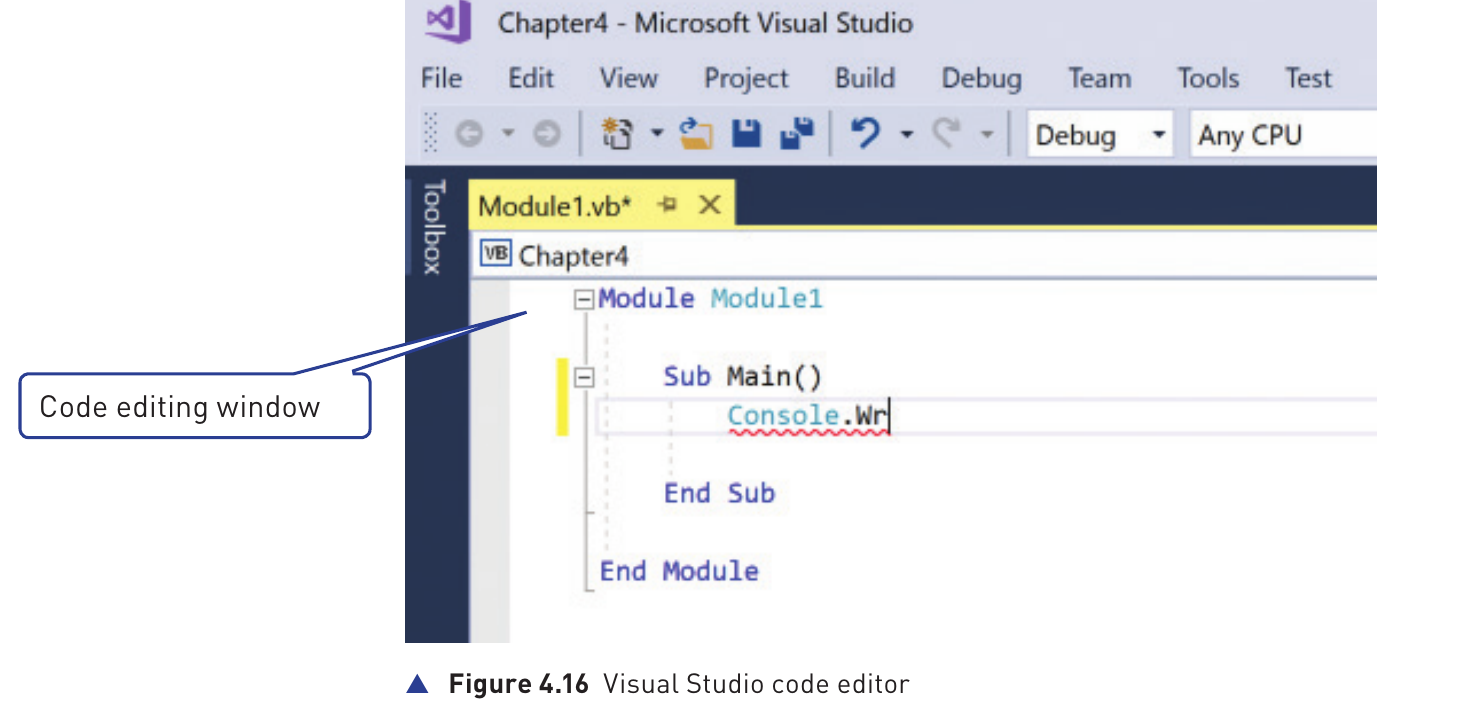
Code editor
The code editor is where source code is written and changed. Having the editor inside the IDE speeds up development because corrections and additions can be made directly in the same environment used for testing and running the program.
Translator inside the IDE
Most IDEs provide a translator, which may be a compiler, an interpreter, or both. An interpreter can be useful during development because changes can be tested quickly, while a compiler may be used to produce the final executable version.
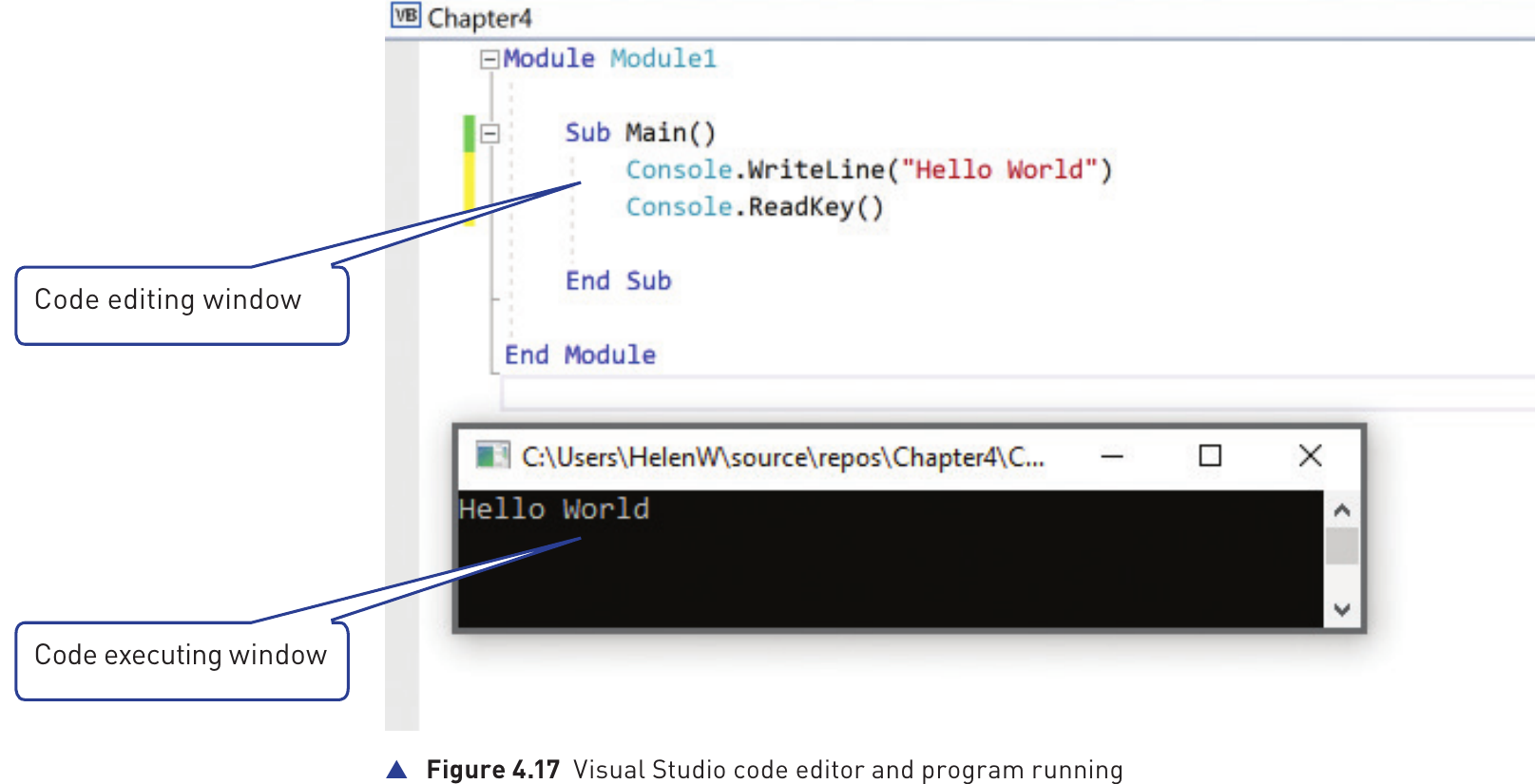
Runtime environment and debugger
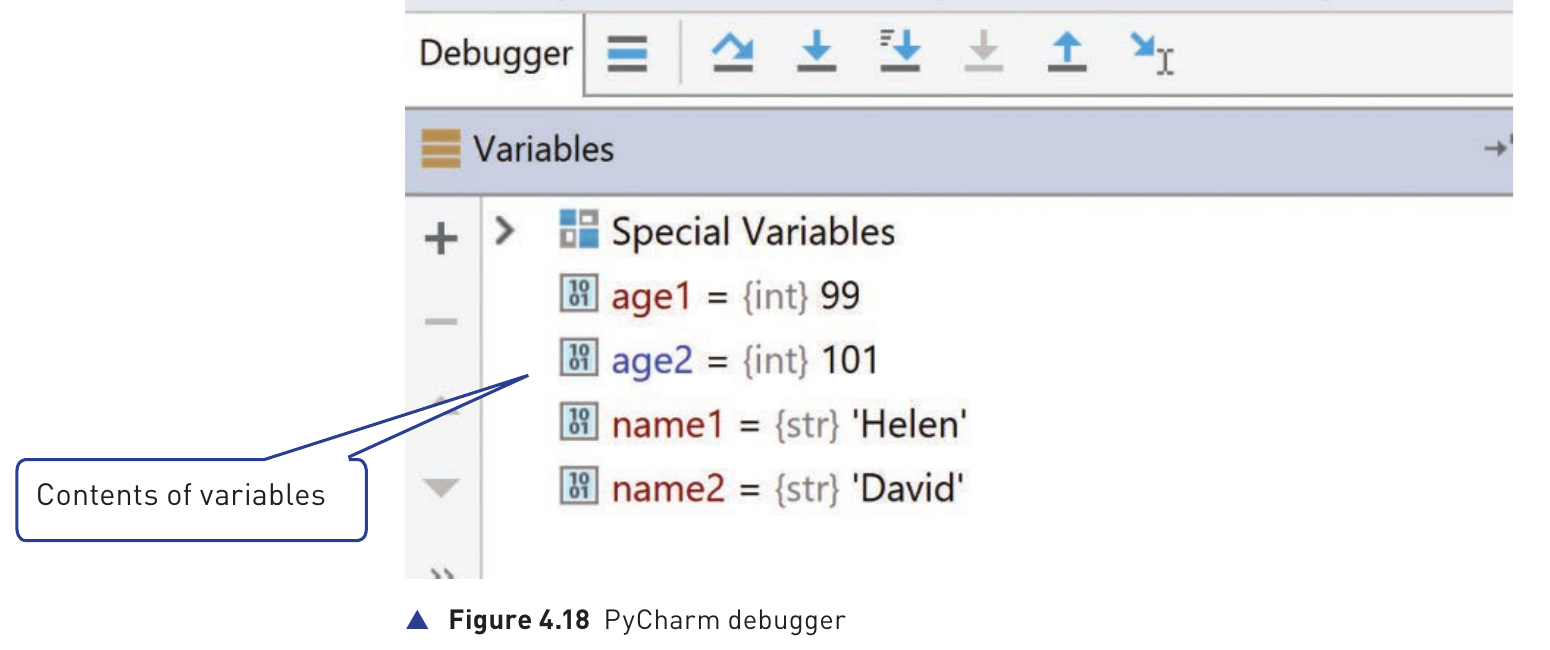
A debugger runs the program under controlled conditions so the programmer can investigate how it behaves. The programmer can single step through the program one line at a time, or set a breakpoint that pauses execution at a chosen point in the source code.
When the program pauses, a report or variables window can show the current values of variables and the results of expressions. This helps the programmer identify logic errors by comparing what the program actually does with what it was intended to do.
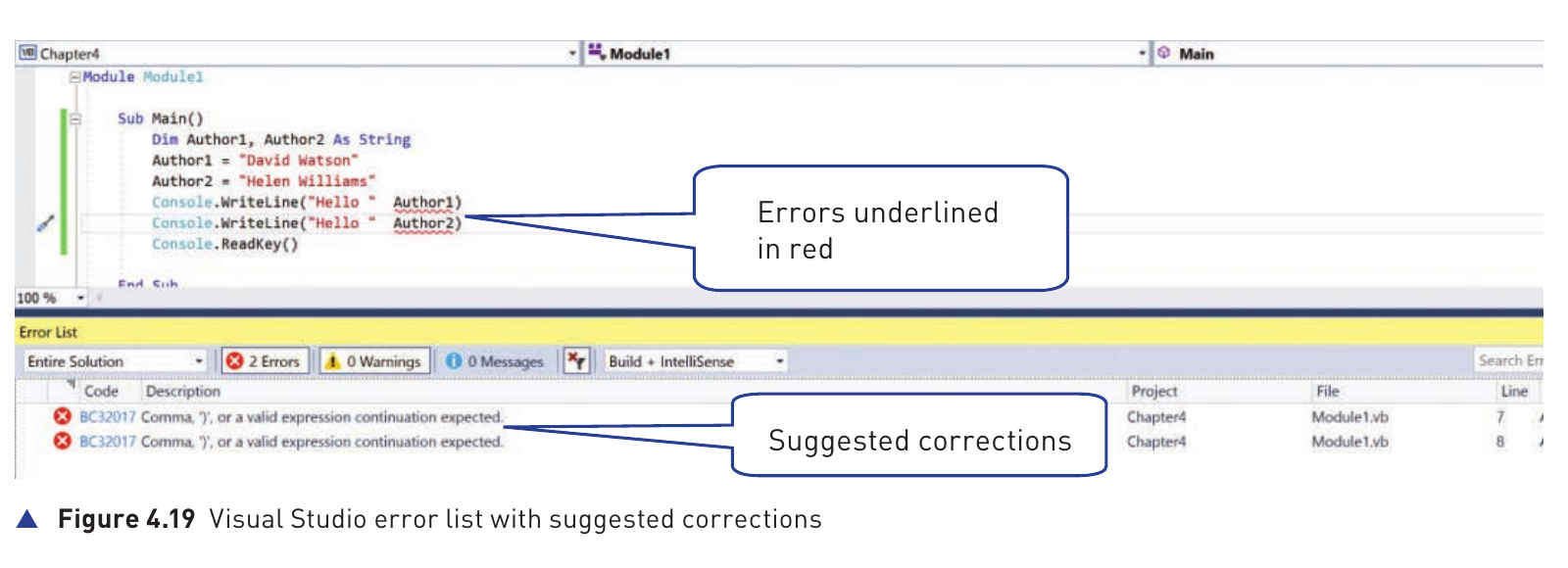
Error diagnostics and auto-correction
Dynamic error checking can examine code while the programmer is typing it. The IDE can highlight a possible error immediately and may suggest how it could be corrected. This allows many mistakes to be discovered during writing and editing rather than waiting until the whole program is run.
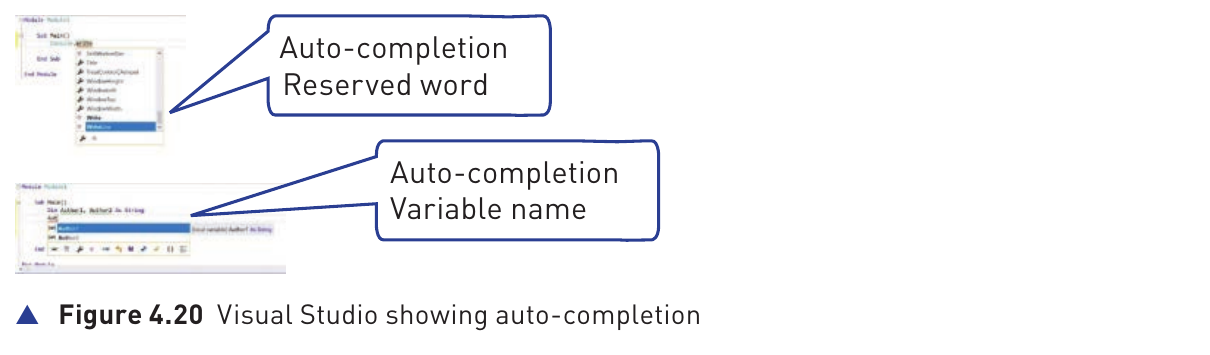
Auto-completion
Auto-completion provides context-sensitive suggestions while code is being entered. It can complete reserved words and variable names, reducing typing and helping the programmer select valid identifiers or language keywords.
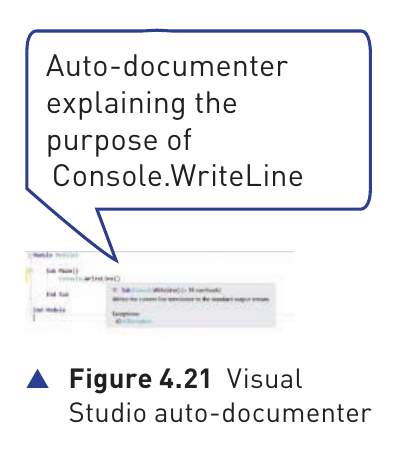
Auto-documenter
An auto-documenter supplies information about the purpose or function of programming code. This can help the programmer understand available commands, methods or routines without leaving the IDE to search elsewhere.
Prettyprinting
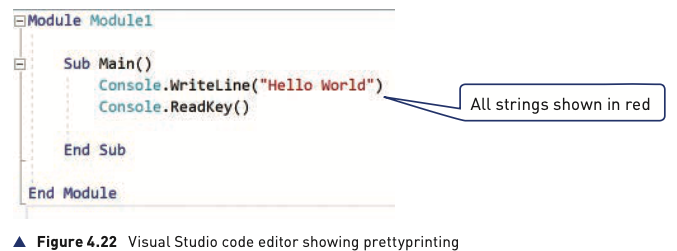
Prettyprinting displays source code using meaningful layout, indentation and colours. Different parts of a program can be shown in different colours so the structure is easier to read and understand.
| IDE feature | How it helps the programmer |
|---|---|
| Code editor | Write and edit source code in the same environment. |
| Compiler / interpreter | Translate or execute the program without leaving the IDE. |
| Runtime environment + debugger | Run code, single step, use breakpoints and inspect variables to find logic errors. |
| Error diagnostics | Highlight possible errors while code is being written. |
| Auto-correction | Suggest possible corrections to detected errors. |
| Auto-completion | Suggest or complete reserved words and variable names. |
| Auto-documenter | Explain the purpose or use of code elements. |
| Prettyprinting | Use layout and colour to make source code easier to read. |