9.1 Databases
A database stores related data in a structured form so that information can be found and used efficiently. For IGCSE Computer Science, this topic focuses on single-table databases, suitable data types, primary keys, validation and SQL.
9.1.1 Single-table databases
A database is a structured collection of data that allows information to be extracted in a way that meets a user's needs. At IGCSE level, the focus is on a single-table database, which contains one table.
Why databases are useful
- Changes or additions only need to be made once, helping keep data consistent.
- The same stored data can be used by different users.
- Storing data in a structured database helps reduce unnecessary duplication.
Databases can store information about people (such as patients or pupils), things (such as cars or books) and events (such as hotel bookings or race results).
Tables, records and fields
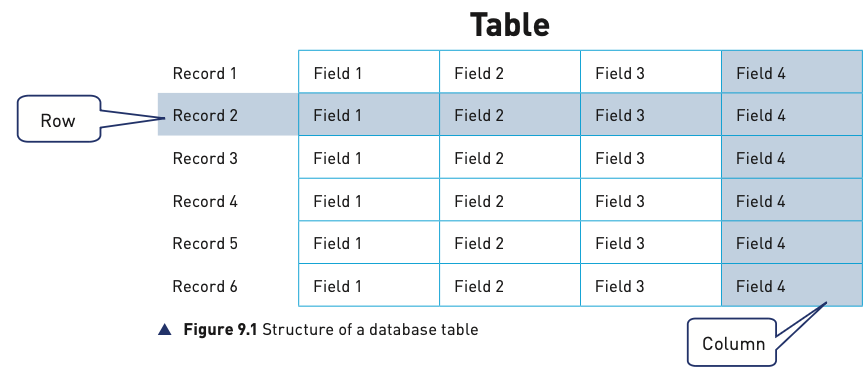
Data in a database is stored in a table. A table contains many records, and each record contains a fixed set of fields.
| Term | Meaning | Easy way to remember |
|---|---|---|
| Table | A collection of related records about one type of item, person or event. | The whole grid. |
| Record | All the data about one item, person or event. | A row. |
| Field | One specific item of data in a record. | A column. |
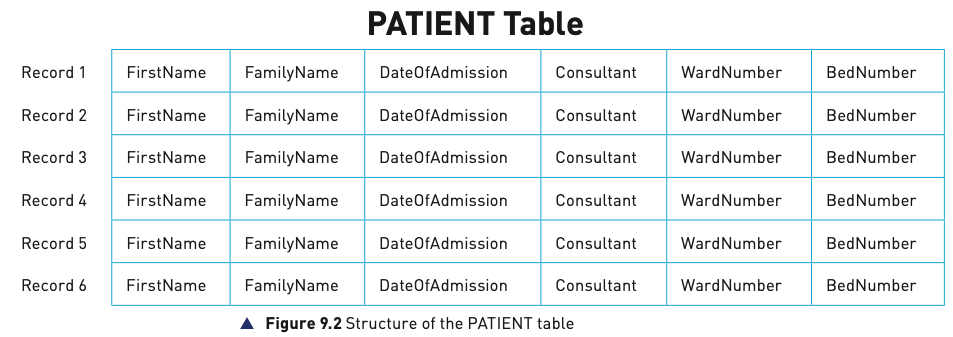
A table should have a meaningful name, such as PATIENT, BOOK or APPOINTMENT. Fields should also have meaningful names, normally written without spaces, such as FirstName, FamilyName, DateOfAdmission, Consultant, WardNumber and BedNumber.
Validation in a database
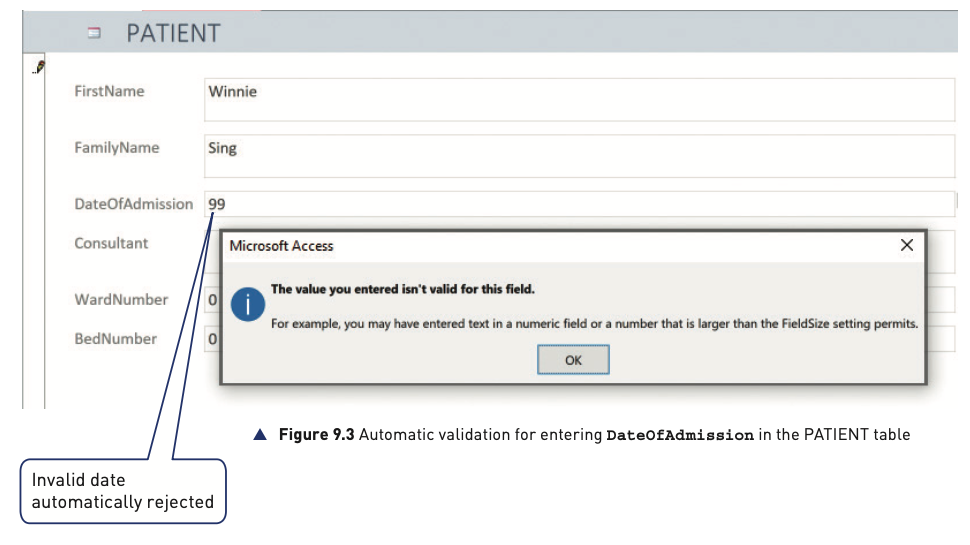
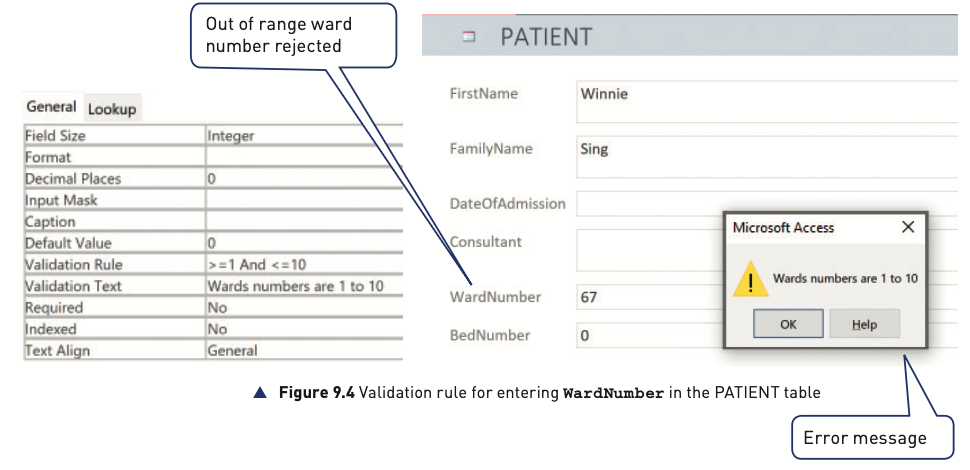
Validation checks that input data is reasonable before it is accepted. Some checks can be provided automatically by database software, while others must be set up by the database developer.
For example, a date field can reject an invalid date automatically. A developer can also create a validation rule so that a ward number accepts only whole-number values from 1 to 10.
9.1.2 Basic data types
Each field must be given a suitable data type. The data type controls how the value is stored and displayed and which operations can be performed on it.
| IGCSE data type | What it stores | Example |
|---|---|---|
| text/alphanumeric | A number of characters. | Mr Smith |
| character | A single character. | M |
| Boolean | One of two possible values, such as True/False or Yes/No. | TRUE |
| integer | A whole number. | 7 |
| real | A number containing a decimal/fractional part. | 12.75 |
| date/time | A date and/or time. | 22/11/2022 |
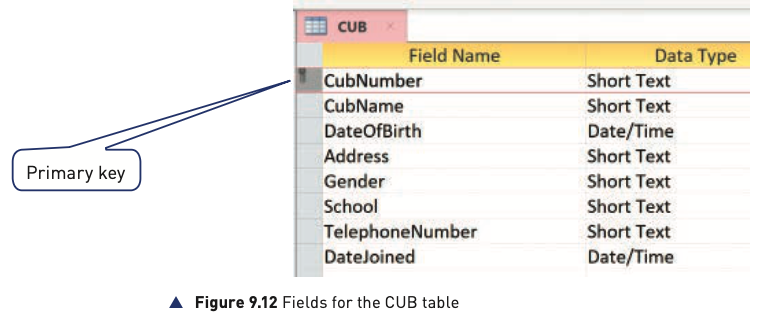
The source notes that database software may use different names for these types. For example, Microsoft Access uses names such as Short Text, Yes/No, Number and Date/Time.
9.1.3 Primary keys
Every record describes one item, person or event. To identify each record reliably, a table needs a field whose value is unique. This field is the primary key.
- A primary-key value must not be repeated in the table.
- An existing field can be used if it is guaranteed to be unique, such as an ISBN in a book table.
- If no existing field is suitable, a new identifying field can be added.
In the textbook PATIENT example, fields such as name, consultant, ward and bed can all contain repeated values, so an additional field called HospitalNumber is introduced. An example format is HN123456.
9.1.4 SQL
Structured Query Language (SQL) is the standard query language used to obtain useful information from a database. An SQL script is a list of SQL commands that performs a task and can be stored for reuse.
Core SQL commands
| Command | Purpose |
|---|---|
SELECT | Chooses the fields (columns) to display. |
FROM | Identifies the table to use. |
WHERE | Selects only records that match a condition. |
ORDER BY | Sorts results alphabetically or numerically. |
SUM | Returns the total of values in a numeric field. |
COUNT | Counts records matching the query. |
SELECT and FROM are the mandatory parts of the simple queries studied here. Other clauses are added when needed. A semicolon marks the end of the SQL command.
SELECT HospitalNumber, FirstName, FamilyName
FROM PATIENT
WHERE Consultant = 'Mr Smith';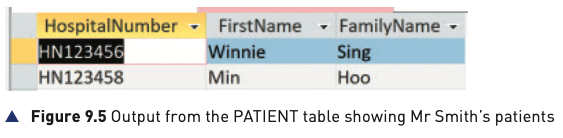
To sort the same results by family name:
SELECT HospitalNumber, FirstName, FamilyName
FROM PATIENT
WHERE Consultant = 'Mr Smith'
ORDER BY FamilyName;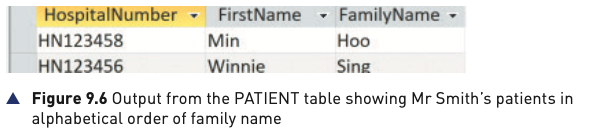
Conditions and operators
Values in a condition must match the field's data type. Text and character values are enclosed in quotation marks in the source examples. Numeric values are written as numbers. The source also notes that date notation can differ between database systems.
| Operator | Meaning |
|---|---|
= | equal to |
>, < | greater than, less than |
>=, <= | greater/less than or equal to |
<> | not equal to |
BETWEEN | within a range |
LIKE | matches a pattern |
IN | matches one of several values |
AND | all conditions must be true |
OR | one or more conditions must be true |
NOT | the condition must be false |
ORDER BY, SUM and COUNT
ORDER BY FamilyName;
ORDER BY FamilyName DESC;
SELECT SUM(Badges)
FROM CUB;
SELECT COUNT(HospitalNumber)
FROM PATIENT
WHERE WardNumber = 7;Practical database case study
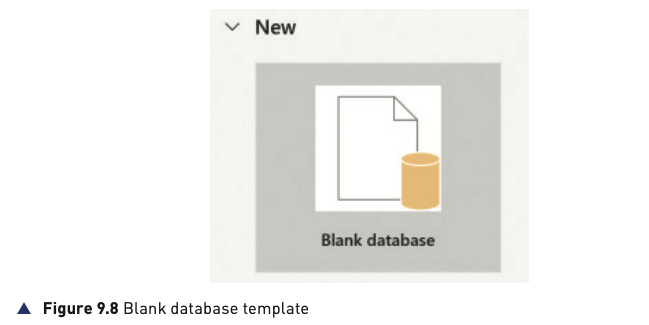
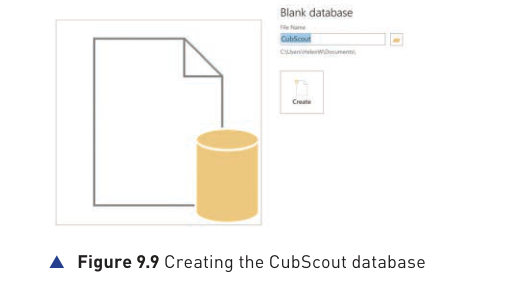
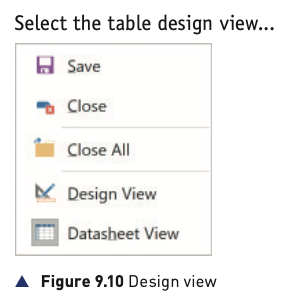
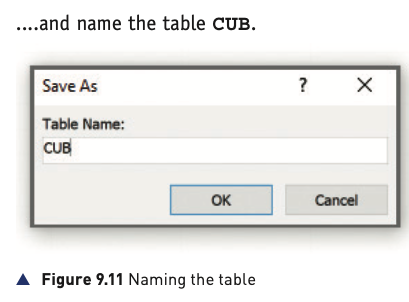
The book uses a Cub Scout database to show how a single-table database can be built from data requirements. The process is to identify the required fields, choose meaningful field names, assign suitable data types, add a primary key and set validation rules.
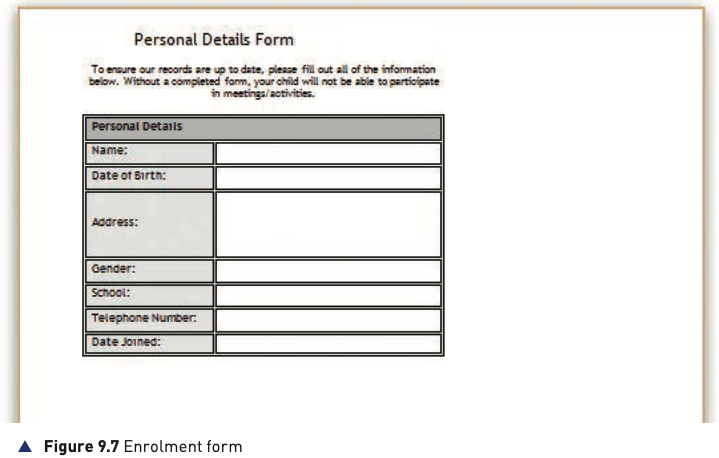
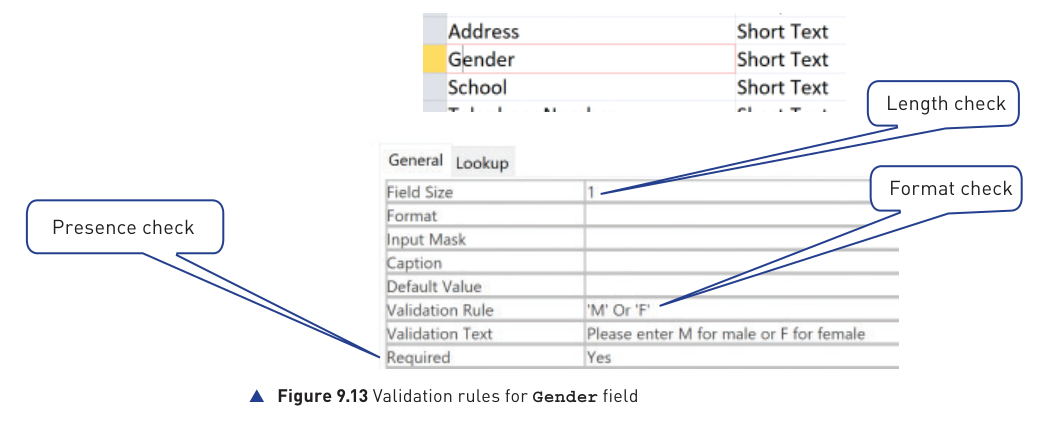
The Gender example combines several validation ideas: a presence check, a length check and a rule limiting the accepted format to the required values.
Extension: DDL and DML
The textbook extension introduces the industry distinction between Data Definition Language (DDL), which changes database structures, and Data Manipulation Language (DML), which works with the data stored in those structures.
| Area | Purpose | Examples from the source |
|---|---|---|
| DDL | Create or change the database structure. | CREATE DATABASE, CREATE TABLE, ALTER TABLE, PRIMARY KEY |
| DML | Add, change, delete or retrieve stored data. | The query commands already studied, such as SELECT. |
The extension also introduces SQL field types such as CHAR(n), VARCHAR(n), BOOLEAN, INTEGER, REAL, DATE and TIME.